SciFigureAI logoSciFigureAI
  • Pricing
  • Get Started
SciFigureAI logoSciFigureAI

Create scientific figure drafts from text, then iterate with credits that fit your research workflow.

Product
  • Text to Figure
  • Sketch to Figure
  • Edit Image
  • PPTX / SVG Export
  • Pricing
Resources
  • Inspiration
  • Tutorials
  • Pricing
  • Start Creating
Company
  • Contact
Legal
  • Cookie Policy
  • Privacy Policy
  • Terms of Service
© 2026 SciFigureAI. All Rights Reserved.
Text to Figure

Create scientific figure drafts from research text

Describe the figure you need, choose the figure type, and start from a clean visual draft that you can review, revise, and export.

Start with TextBrowse examples
Graphical abstractsMechanism diagramsProtocol workflowsPoster and slide figures
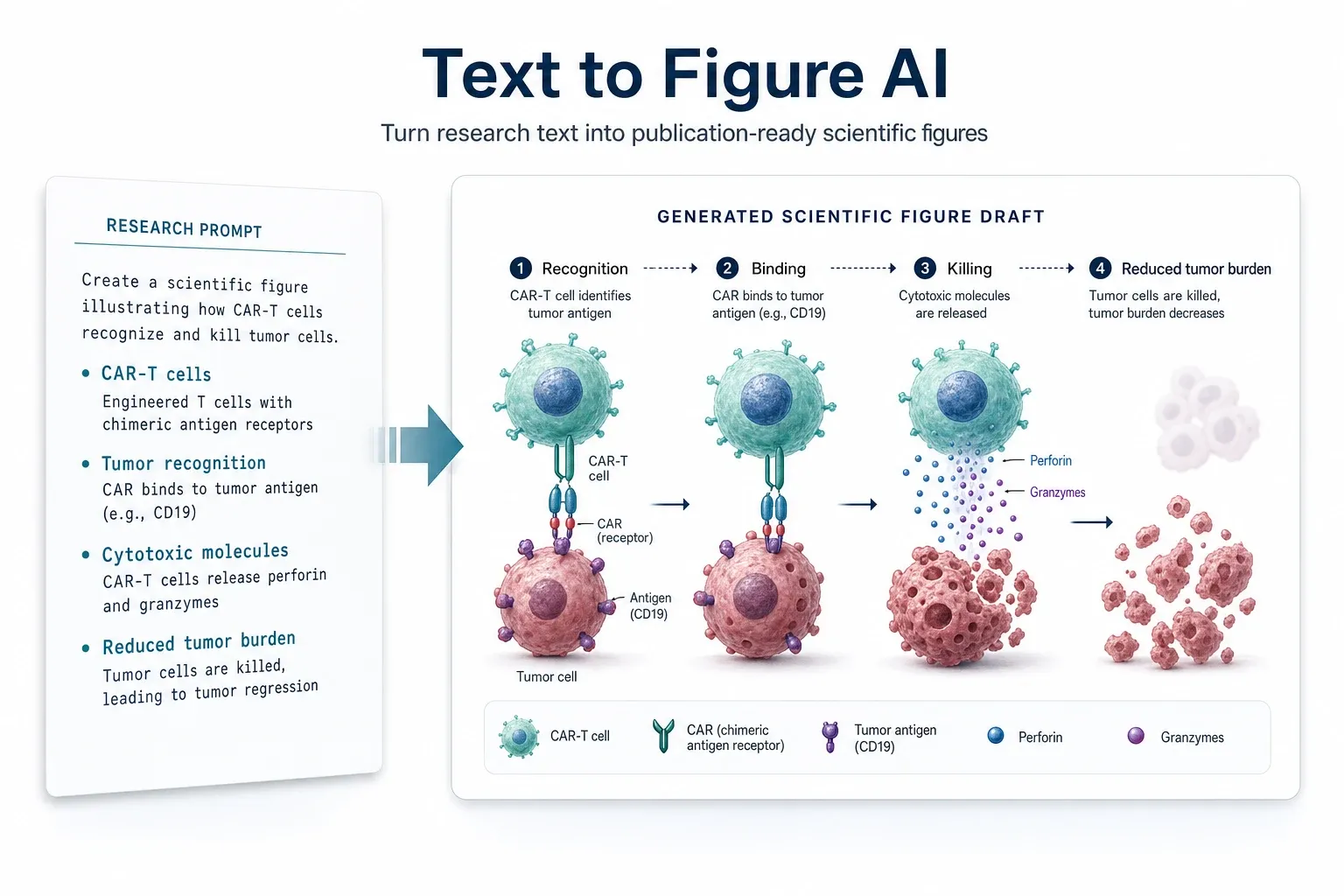
Scientific graphical abstract draft created from text

Research text to visual draft

Text to Figure

Workflow

From description to draft in a few steps

Text to Figure is the fastest path when you already know the story your figure should tell.

1
Describe the figure
Paste an abstract, mechanism summary, or short research brief.
2
Choose figure settings
Select figure type, field, aspect ratio, and resolution for the draft.
3
Generate and review
Create a first draft, then inspect labels, composition, and scientific clarity.
4
Iterate or export
Revise the current image or export it for slides and downstream editing.
Example prompt

Start with a concise visual brief

A good prompt names the subject, core process, visual style, and label density.

Copy-ready prompt direction

Create a mechanism diagram showing CAR-T cells recognizing tumor cells, binding through engineered receptors, releasing cytotoxic molecules, and reducing tumor burden. Keep labels concise and arrange the process left to right.
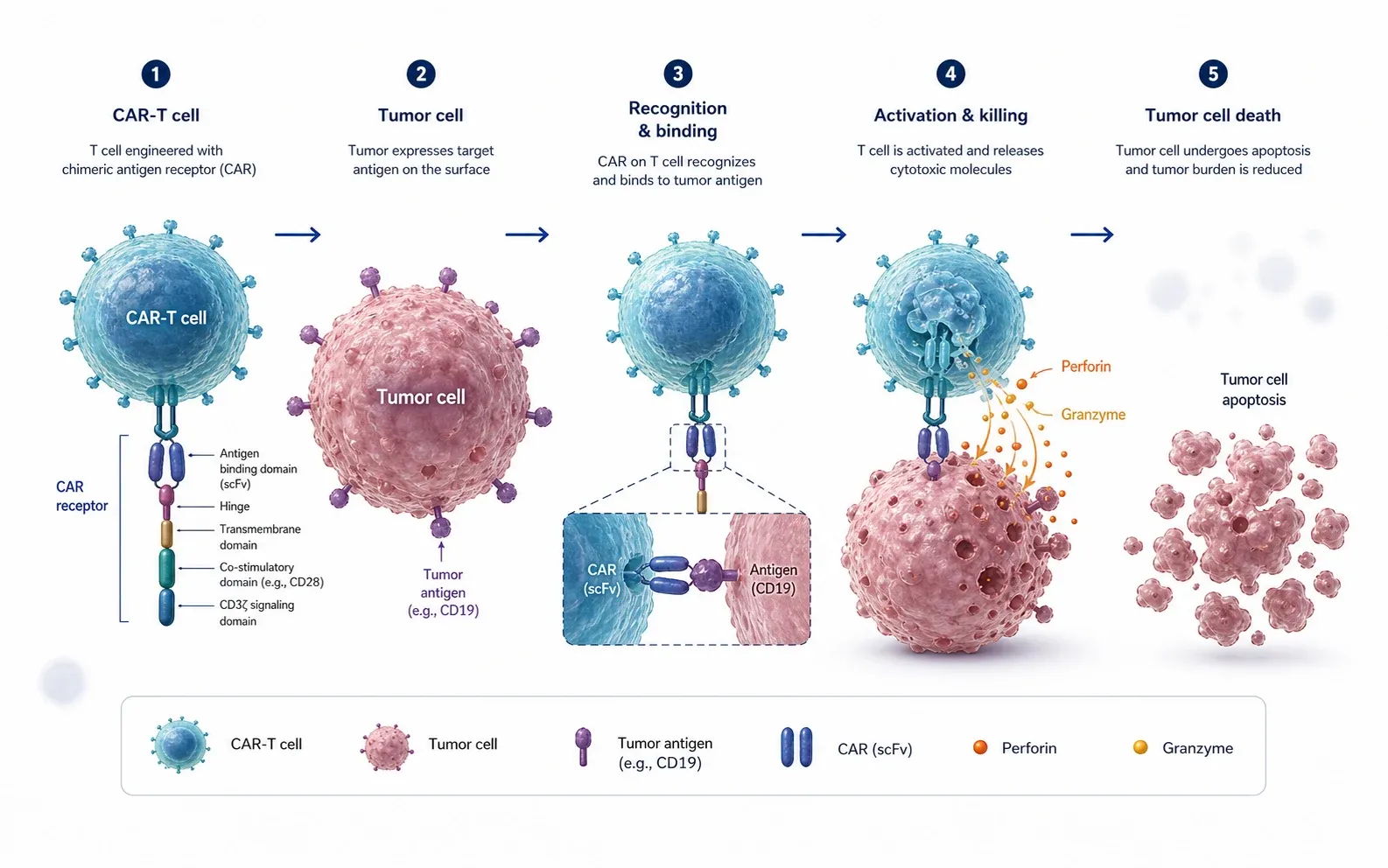
Mechanism diagram example for tumor immune response
Credits

Credits are consumed when a result is saved

Text generation uses credits based on the selected resolution. Download preview stays free; PPTX and SVG exports use credits.

Generate and edit consume credits after successful results.

Download preview is free for the current image.

PPTX / SVG export is available when you need slide or editing files.

FAQ

Common questions

What kind of text works best?
Use a short research brief that explains the process, key entities, and desired figure style. You can paste an abstract, but a focused visual brief usually produces a clearer draft.
Can I revise the generated image?
Yes. After generation, select the image and use the edit composer to request changes.
Is the output final publication art?
SciFigureAI creates researcher-reviewed drafts. Review scientific details and labels before formal use.

Create scientific figure drafts from research text

Describe the figure you need, choose the figure type, and start from a clean visual draft that you can review, revise, and export.

Start with Text