SciFigureAI logoSciFigureAI
  • Home
  • PaperBanana
  • Pricing
  • Get Started
SciFigureAI logoSciFigureAI

Create scientific figure drafts from text, then iterate with credits that fit your research workflow.

GitHubYouTube
Featured on There's An AI For ThatStripe Climate member
Product
  • Text to Figure
  • PaperBanana
  • Sketch to Figure
  • Edit Image
  • PPTX / SVG Export
  • Pricing
Resources
  • Inspiration
  • Tutorials
  • Pricing
  • Start Creating
Company
  • Contact
Legal
  • Cookie Policy
  • Privacy Policy
  • Terms of Service
© 2026 SciFigureAI. All Rights Reserved.
Sketch to Figure

Sketch to Figure AI for scientific mechanism figures

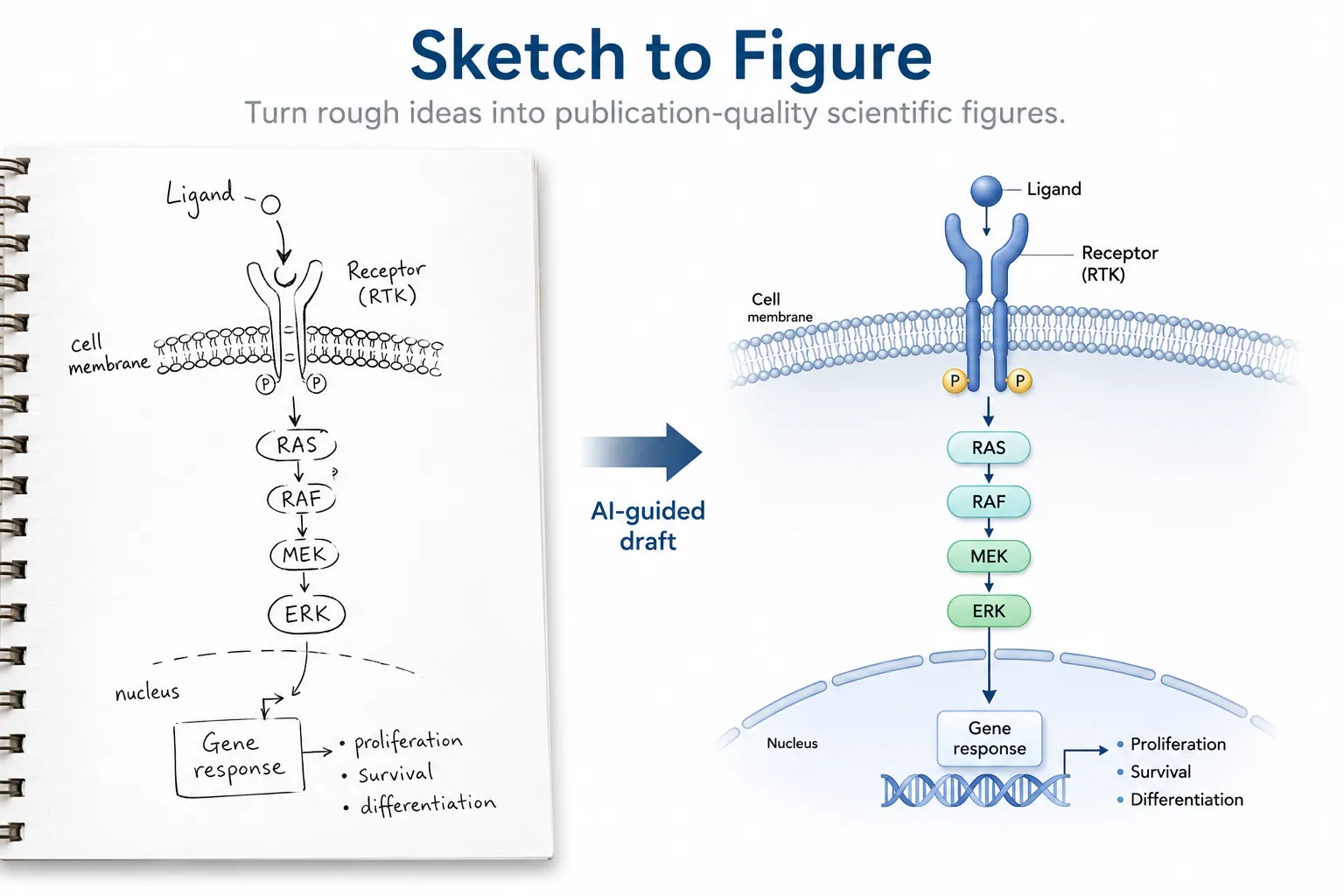
Use Sketch to Figure to upload a rough sketch input, add research context, and generate a cleaner scientific mechanism figure draft while preserving the intended layout.
Start with a SketchBrowse examples
Rough sketch inputMechanism diagramsLayout preservationResearch context prompts
Sketch to Figure AI workflow from rough receptor signaling sketch to polished scientific mechanism figure

Rough sketch input to mechanism figure draft

Sketch to Figure

Workflow

Sketch to Figure workflow from rough sketch to figure draft

This workflow is most useful when you already know the composition, arrows, and visual sequence, but need a cleaner AI scientific figure draft.

1
Upload a sketch
Start from a hand-drawn pathway sketch, whiteboard photo, notebook scan, or low-fidelity layout screenshot.
2
Add research context
Describe the mechanism, key entities, intended labels, and whether the output should look like a pathway, process, or graphical abstract.
3
Generate the figure draft
Create a new sketch to scientific figure result guided by the uploaded structure and your prompt.
4
Review and refine
Use image editing to adjust arrows, visual hierarchy, labels, and scientific emphasis without starting over.
Best use cases

Where sketch guidance helps mechanism diagrams

This page answers one search intent: how to turn a rough scientific sketch into a cleaner figure draft. These sketch-driven cases are where the uploaded image adds value beyond a text-only prompt.

Receptor and pathway mechanisms
Use sketch guidance when a pathway layout already exists on paper and you want a polished mechanism diagram with cleaner spacing, arrows, and labels.
Graphical abstract layouts
Upload a rough sketch to preserve the reading order, then use research context prompts to clarify cells, molecules, panels, and outcomes.
Slide-ready scientific drafts
Create an AI scientific figure draft that is easier to review with collaborators before you refine, export, or rebuild the final artwork.
Mechanism example

Sketch to Figure example for receptor signaling mechanisms

Use a sketch to preserve the receptor, ligand, signaling cascade, and nucleus response layout, then let the generated draft clean up spacing and visual hierarchy.

Copy-ready prompt direction

Create a clean receptor signaling mechanism figure from this rough sketch. Preserve the left-to-right layout, show ligand binding, receptor activation, intracellular signaling cascade, and gene response in the nucleus. Use concise labels, clear arrows, and a polished biomedical schematic style.
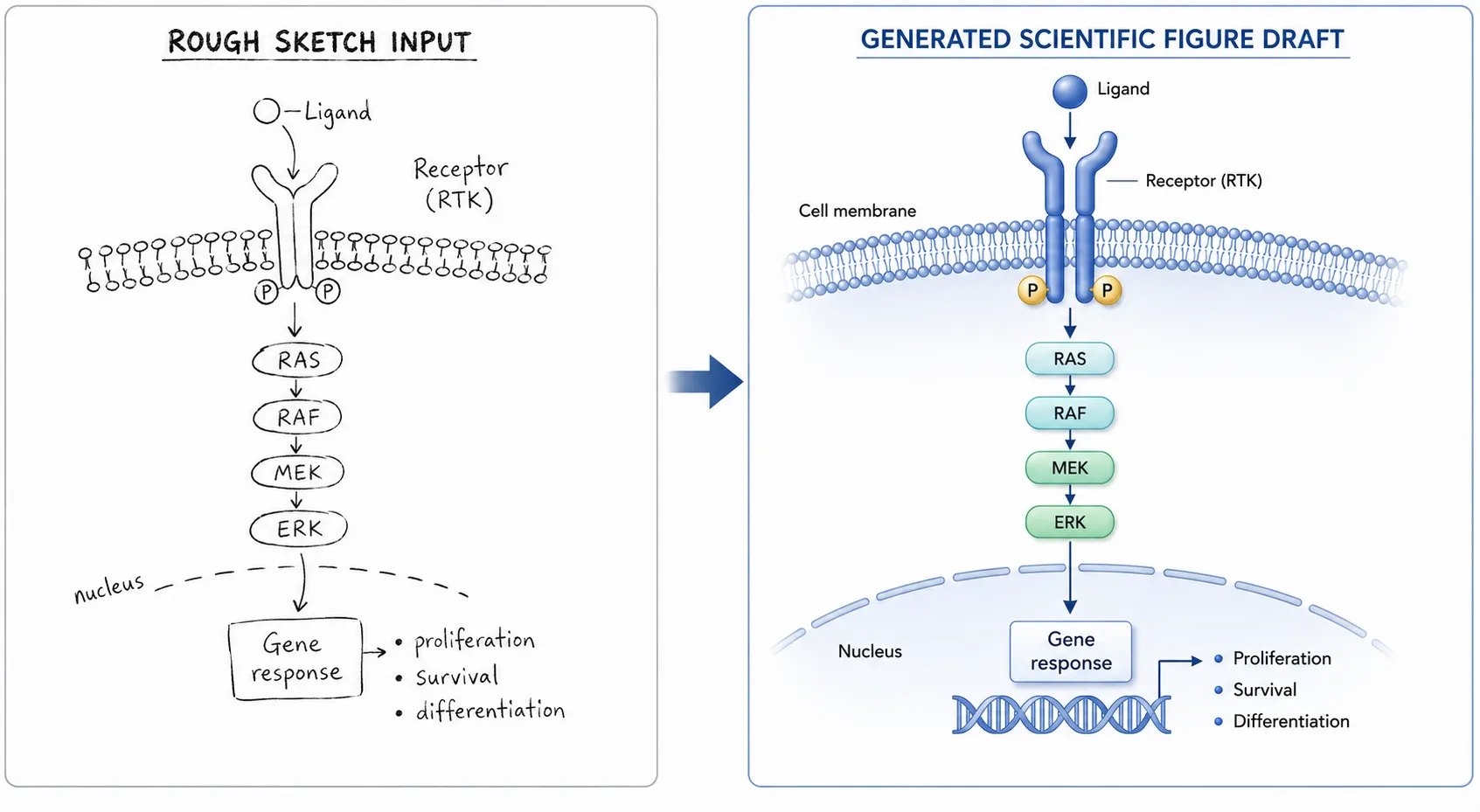
Sketch to Figure example showing a rough receptor signaling sketch converted into a polished mechanism diagram
Generation guidance

How the uploaded sketch guides generation

The uploaded source guides the new image, but the output is a newly generated scientific figure draft. Treat the sketch as structure and the prompt as scientific context.

The source sketch guides layout, arrows, and panel order instead of being copied directly into the final image.

Specific labels and scientific relationships should be written in the generation prompt.

Failed generation attempts do not consume credits; successful saved results follow the same credit rules.

FAQ

Common questions

What sketches work best for Sketch to Figure?
Simple sketches with clear structure work best. Use visible arrows, separated elements, and short labels so the generator can preserve the intended layout while creating a cleaner figure draft.
Can Sketch to Figure create mechanism diagrams?
Yes. It is a strong fit for receptor signaling mechanisms, pathway diagrams, cell interaction sketches, and other layout-driven scientific mechanism figures.
Will the sketch appear in the final result?
No. The uploaded sketch is used as guidance for a new generated image. The final result is saved as a separate AI scientific figure draft.
How should I write the prompt for Sketch to Figure?
Describe what each rough shape represents, name the key biological or scientific relationships, and say what should be preserved, such as left-to-right flow, panel order, or arrow direction.
Can I refine the generated mechanism figure?
Yes. After Sketch to Figure creates a draft, use image editing to request clearer arrows, fewer labels, better spacing, or stronger emphasis on a specific pathway step.
What should I avoid uploading?
Avoid dense screenshots, tiny handwritten text, overlapping arrows, and sketches with ambiguous reading order. A cleaner rough sketch usually produces a clearer scientific figure draft.

Sketch to Figure AI for scientific mechanism figures

Use Sketch to Figure to upload a rough sketch input, add research context, and generate a cleaner scientific mechanism figure draft while preserving the intended layout.

Start with a Sketch